

接口加密与验签
注解 @MssSafety
定义位置:com.sxpcwlkj.common.annotation.MssSafety,注解目标为类或方法。请求体解密与防重逻辑在 RequestBodyHandlerAdvice 中通过 getMethodAnnotation(MssSafety.class) 读取注解,因此实践中请在具体接口方法上声明 @MssSafety,以确保 decryptRequest / isRepetition 生效;类级仅标注时请与代码行为再核对。
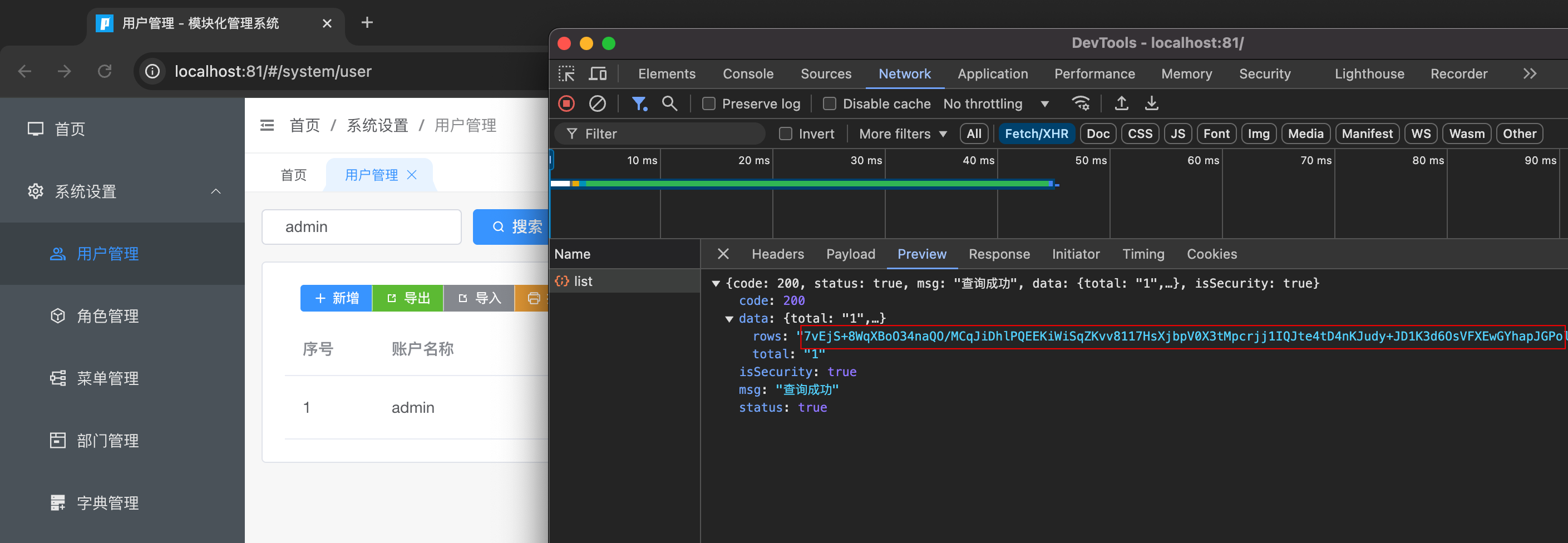
请求体解密、防重、响应加密由 RequestBodyHandlerAdvice、ResponseResultBodyAdvice 等与 EncryptionProperties、SysSignService 协同完成(实现以 mms-framework 为准)。
属性说明
| 属性 | 类型 | 默认值 | 说明 |
|---|---|---|---|
isRepetition | boolean | true | 是否开启防重复提交(见 防重幂等) |
decryptRequest | boolean | false | 是否对 请求体 做解密/验签(配合 Encrypt-Type 等) |
encryptResponse | boolean | false | 是否对 响应体 加密 |
encryptType | SafetyTypeEnum | AES | AES / RSA(枚举:com.sxpcwlkj.common.enums.SafetyTypeEnum) |
使用示例
@MssSafety(decryptRequest = true, encryptResponse = true, encryptType = SafetyTypeEnum.AES)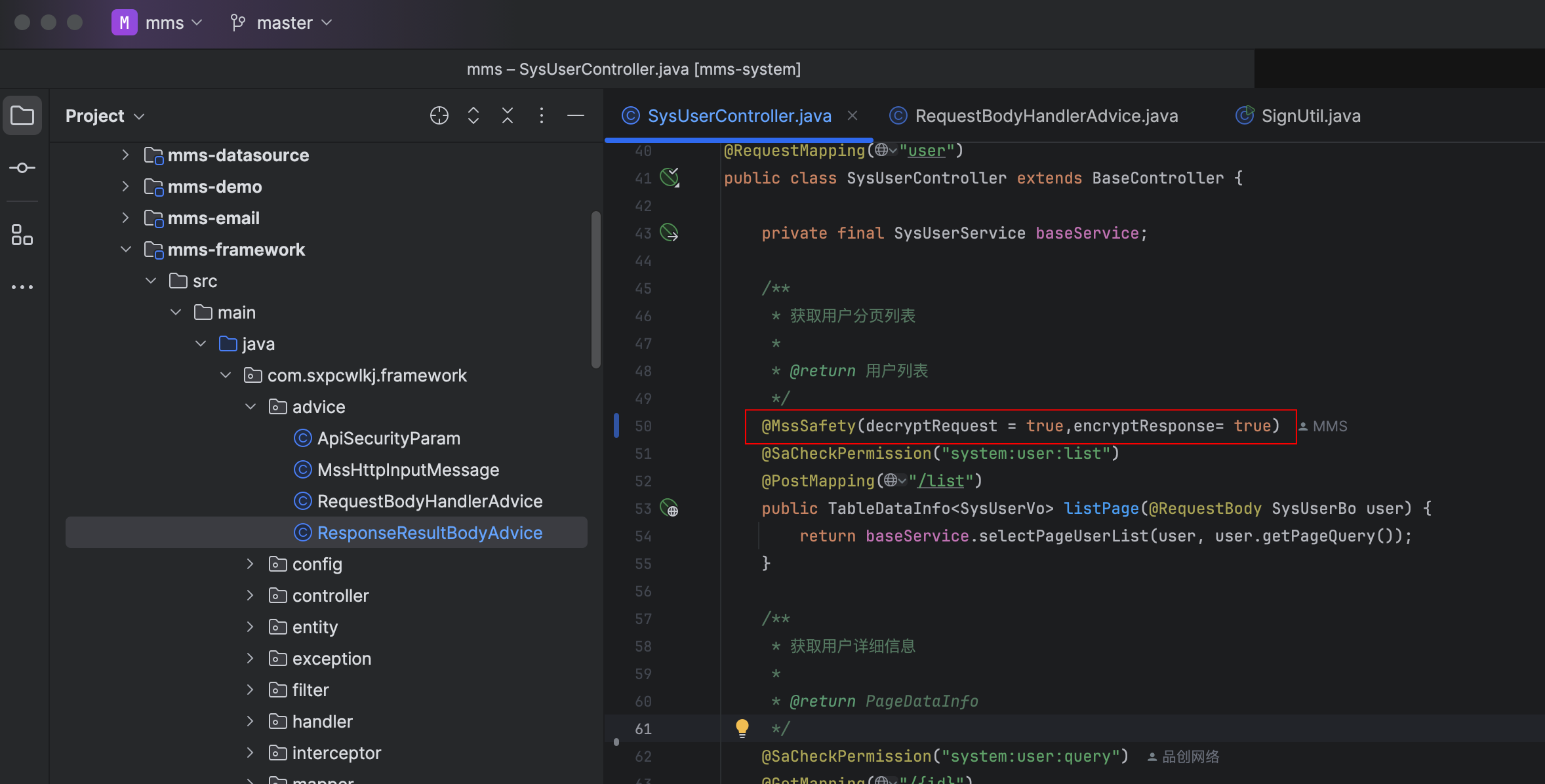
请求头约定
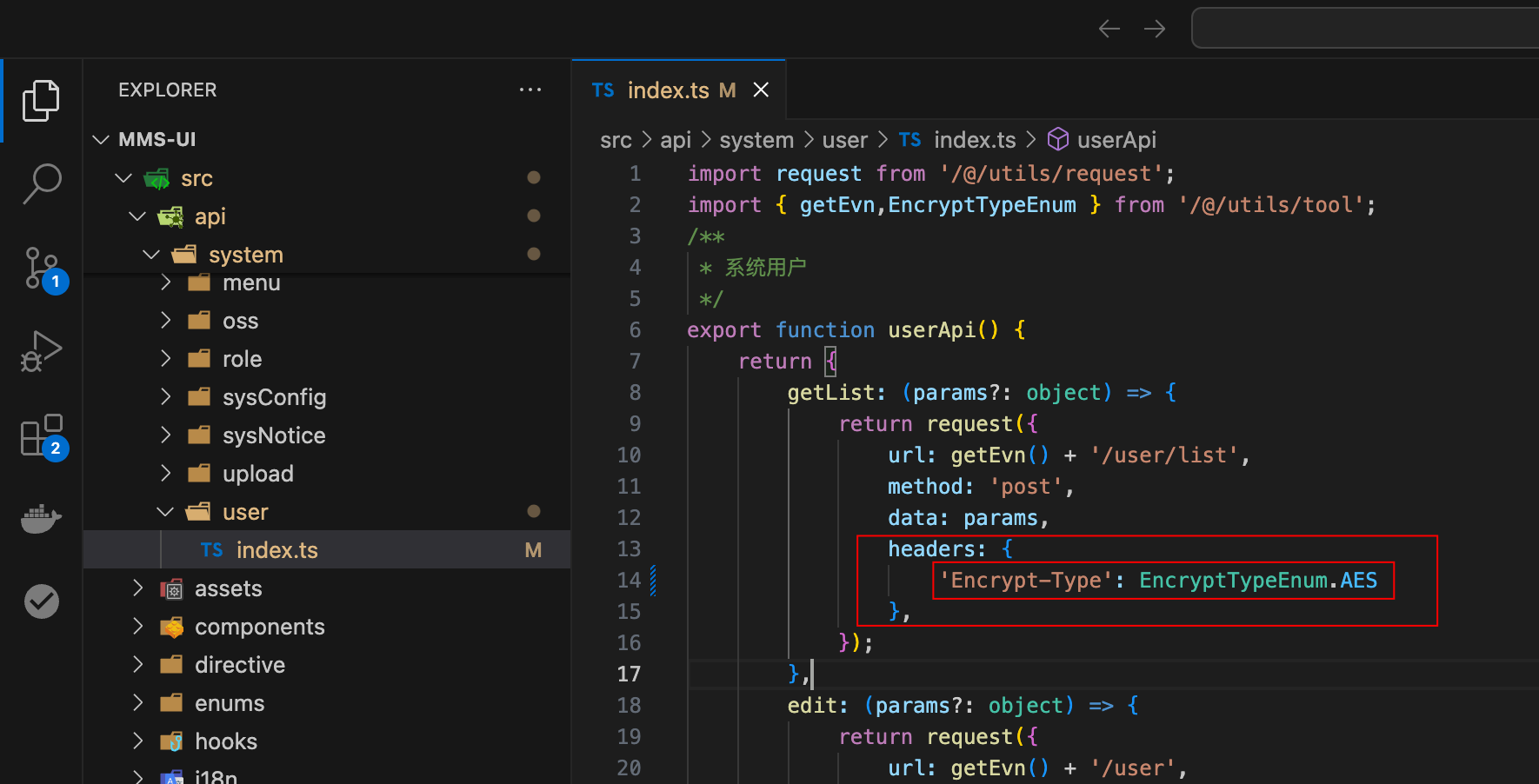
前端或第三方需在请求头中携带与实现一致的 Encrypt-Type(如 AES / RSA),并与 encryptType 一致;其它头字段(如 App-Id、Authorization)以 RequestBodyHandlerAdvice 与登录态为准。
注意事项
- 请求体解密流程主要针对
POST/PUT等带 body 的请求(与历史文档一致)。 - 前端若开启请求加密,请求头需带
Encrypt-Type,后端对应方法需@MssSafety(decryptRequest = true)(及正确的encryptType)。 - 响应加密开启后,客户端需按约定解密(
encryptResponse = true时由ResponseResultBodyAdvice处理)。
配置项(encryption)
在 application.yml 中与注解配套的典型配置如下(数值以当前仓库为准):
encryption:
  enable: true
  types:
    - AES
    - RSA
  valid-time: 3000        # 与时间戳相关的允许误差,毫秒
  repeated-time: 500      # 防重 Redis 键 TTL,毫秒(示例见主工程 application.yml)
第三方接入 Demo(AES / RSA)
以下示例对应后端使用 @MssSafety(decryptRequest = true) 的接口(例如 POST /v1/openapi/getGameList 等;路径以实际工程为准)。
1) 获取 Token 与密钥
POST /v1/openapi/getToken(无需加签)返回:
token(后续放在请求头Authorization)appId(16 位,作为 AES IV)secretKey(AES 密钥,16 位)publicKey(RSA 公钥)
2) 通用请求头
Content-Type: application/jsonAuthorization: <token>App-Id: <appId>Encrypt-Type: AES或Encrypt-Type: RSAX-Sign: <sign>(也可放在 body 中)X-Timestamp: <timestamp>(也可放在 body 中)
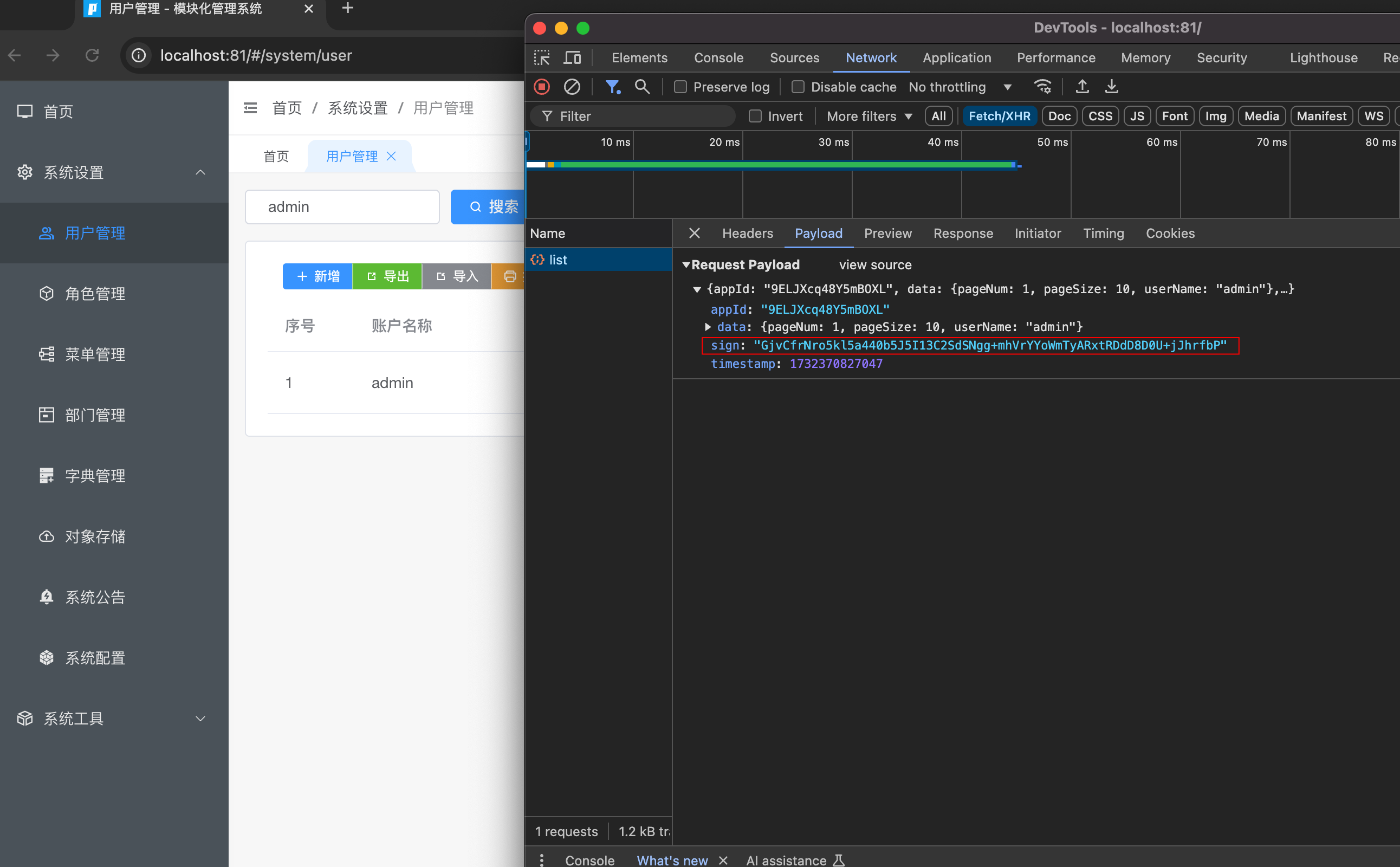
当 decryptRequest = true 时,X-Sign 与 X-Timestamp 可不放在 header,由请求体 ApiSecurityParam 解析并写入 header 供验签使用。
3) AES(JS,适用于浏览器/前端)
签名规则(必须与后端一致):
- 对
data进行参数排序(ASCII 升序) - 过滤空值
- 拼接为
key=value&...,并对 key/value 做encodeURIComponent - 使用
AES/CBC/ZeroPadding加密该字符串 - Base64 输出作为
sign
加签 JS Demo(crypto-js)
import { AES, enc, mode, pad } from 'crypto-js';

const appId = '16位appId';
const secretKey = '16位secretKey';
const token = '登录接口返回的token';

const data = { pageNum: 1, pageSize: 10, userName: '' };

const paramsSort = (obj: Record<string, any>) => {
  const keys = Object.keys(obj).sort();
  const res: Record<string, any> = {};
  keys.forEach((k) => (res[k] = obj[k]));
  return res;
};

const tansParams = (params: Record<string, any>) => {
  params = paramsSort(params);
  let result = '';
  for (const propName of Object.keys(params)) {
    const value = params[propName];
    const part = encodeURIComponent(propName) + '=';
    if (value !== null && value !== '' && typeof value !== 'undefined') {
      if (typeof value === 'object') {
        for (const key of Object.keys(value)) {
          if (value[key] !== null && value[key] !== '' && typeof value[key] !== 'undefined') {
            const p = propName + '[' + key + ']';
            result += encodeURIComponent(p) + '=' + encodeURIComponent(value[key]) + '&';
          }
        }
      } else {
        result += part + encodeURIComponent(value) + '&';
      }
    }
  }
  return result.endsWith('&') ? result.slice(0, -1) : result;
};

const dataStr = tansParams(data);
const iv = enc.Utf8.parse(appId);
const key = enc.Utf8.parse(secretKey);
const encrypted = AES.encrypt(enc.Utf8.parse(dataStr), key, {
  iv,
  mode: mode.CBC,
  padding: pad.ZeroPadding,
});
const sign = enc.Base64.stringify(encrypted.ciphertext);

const body = {
  appId,
  sign,
  timestamp: Date.now(),
  data,
};

fetch('/v1/openapi/getGameList', {
  method: 'POST',
  headers: {
    'Content-Type': 'application/json',
    Authorization: token,
    'App-Id': appId,
    'Encrypt-Type': 'AES',
  },
  body: JSON.stringify(body),
});
4) RSA(Java / Python / PHP / C#)
签名规则:
- 将
data转成 JSON 字符串(保持字段顺序与实际序列化一致) - 使用 公钥 做 RSA 加密(PKCS1 Padding)
- 将密文输出为 十六进制字符串 作为
sign
Java Demo(Hutool)
import cn.hutool.crypto.asymmetric.KeyType;
import cn.hutool.crypto.asymmetric.RSA;
import cn.hutool.core.util.HexUtil;
import com.alibaba.fastjson.JSON;

String appId = "16位appId";
String publicKey = "获取Token接口返回的publicKey";
String token = "登录接口返回的token";

Map<String, Object> data = new HashMap<>();
data.put("pageNum", 1);
data.put("pageSize", 10);
data.put("userName", "");

String dataStr = JSON.toJSONString(data);
RSA rsa = new RSA(null, publicKey);
byte[] encrypted = rsa.encrypt(dataStr.getBytes(StandardCharsets.UTF_8), KeyType.PublicKey);
String sign = HexUtil.encodeHexStr(encrypted).toUpperCase();

Map<String, Object> body = new HashMap<>();
body.put("appId", appId);
body.put("sign", sign);
body.put("timestamp", System.currentTimeMillis());
body.put("data", dataStr);
Python Demo(PyCryptodome)
from Crypto.PublicKey import RSA
from Crypto.Cipher import PKCS1_v1_5
import binascii, json, time

app_id = "16位appId"
public_key = """-----BEGIN PUBLIC KEY-----
...your key...
-----END PUBLIC KEY-----"""

data = {"pageNum": 1, "pageSize": 10, "userName": ""}
data_str = json.dumps(data, separators=(',', ':'), ensure_ascii=False)

key = RSA.import_key(public_key)
cipher = PKCS1_v1_5.new(key)
encrypted = cipher.encrypt(data_str.encode('utf-8'))
sign = binascii.hexlify(encrypted).decode('utf-8').upper()

body = {
  "appId": app_id,
  "sign": sign,
  "timestamp": int(time.time() * 1000),
  "data": data_str
}
PHP Demo(openssl)
<?php
$appId = "16位appId";
$publicKey = "-----BEGIN PUBLIC KEY-----\n...your key...\n-----END PUBLIC KEY-----";

$data = [
  "pageNum" => 1,
  "pageSize" => 10,
  "userName" => ""
];
$dataStr = json_encode($data, JSON_UNESCAPED_UNICODE | JSON_UNESCAPED_SLASHES);

$pubKey = openssl_pkey_get_public($publicKey);
openssl_public_encrypt($dataStr, $encrypted, $pubKey, OPENSSL_PKCS1_PADDING);
$sign = strtoupper(bin2hex($encrypted));

$body = [
  "appId" => $appId,
  "sign" => $sign,
  "timestamp" => round(microtime(true) * 1000),
  "data" => $dataStr
];
C# Demo(RSA)
using System;
using System.Collections.Generic;
using System.Security.Cryptography;
using System.Text;
using Newtonsoft.Json;

string appId = "16位appId";
string publicKeyPem = @"-----BEGIN PUBLIC KEY-----
...your key...
-----END PUBLIC KEY-----";

var data = new Dictionary<string, object> {
  { "pageNum", 1 },
  { "pageSize", 10 },
  { "userName", "" }
};
string dataStr = JsonConvert.SerializeObject(data);

using var rsa = RSA.Create();
rsa.ImportFromPem(publicKeyPem.ToCharArray());
byte[] encrypted = rsa.Encrypt(Encoding.UTF8.GetBytes(dataStr), RSAEncryptionPadding.Pkcs1);
string sign = BitConverter.ToString(encrypted).Replace("-", "").ToUpperInvariant();

var body = new Dictionary<string, object> {
  { "appId", appId },
  { "sign", sign },
  { "timestamp", DateTimeOffset.UtcNow.ToUnixTimeMilliseconds() },
  { "data", dataStr }
};
5) 绑定到具体接口
以 GameApiController#getGameList 为例:
- 注解:
@MssSafety(decryptRequest = true, encryptType = SafetyTypeEnum.RSA) - Header:
Encrypt-Type: RSA - Body:
{ appId, sign, timestamp, data }(data为 JSON 字符串或对象,与ApiSecurityParam约定一致)